Reviewed by the Penny Time editorial team
Part of our Money Skills hub.
Financial Literacy Games for Kids That Actually Teach Money
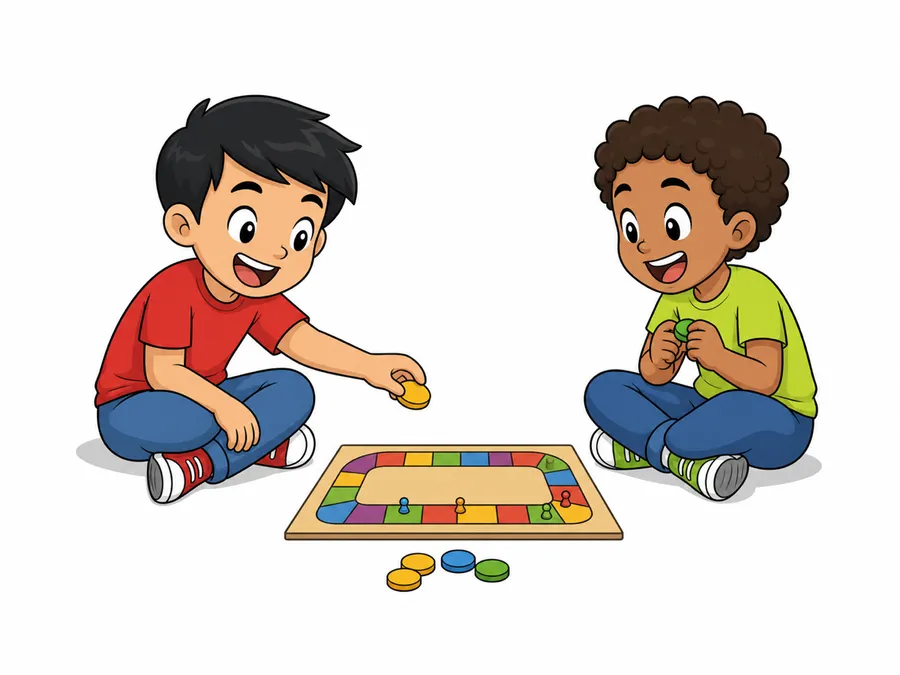
Most "money games" for kids teach recognition (this coin is a quarter) and stop there. That is counting, not financial literacy. The games below teach a specific decision-making skill: waiting for a bigger reward, choosing between two things you both want, or watching small amounts add up over time. For each one, you will see the exact mechanic that does the teaching, the age it fits, and whether it needs a screen.
Why games work better than lectures
A 2013 University of Cambridge review (the Money Advice Service report by Dr. David Whitebread and Dr. Sue Bingham) found that the habits of mind later money skills build on, such as managing impulses and waiting for a reward, start to form before age 7. It also found that what parents model and talk about shapes young children's money behavior more than teaching them financial facts. Waiting until they are teenagers to talk about budgeting skips the years when those habits first take shape. Games work because they let a 6-year-old make a real trade-off and feel the result in a few minutes, instead of hearing an abstract rule they cannot picture.
Plenty of games are sold as money lessons, but few say which skill they teach. This list sorts them by what they teach.
Screen-free games (ages 4 to 10)
1. The Three Jars (teaches: allocation)
Set up three clear jars labeled Save, Spend, and Give. Every time your child earns money, they split it across the jars before spending anything. The mechanic doing the work is forced allocation: money is assigned a job the moment it arrives, not after it is already gone. Clear jars matter because a 5-year-old learns from watching the Save jar physically fill. This is the screen-free version of what our budget planner does for older kids.
2. Grocery Store Role-Play (teaches: wants vs. needs)
Give your child a small fixed budget (say, $5 in coins) and a pretend or real shopping list. They have to buy the needs first and can only add a want if money is left. The teaching mechanic is the hard budget constraint: when the coins run out, the game is over, so they feel the cost of spending on a want too early. Pair it with our wants vs. needs sorter to name the categories before you play.
3. Chores-as-Quests (teaches: earning through work)
Turn the chore list into a quest board. Each task has a point value, and points convert to pocket money at week's end. Bigger or less pleasant jobs are worth more. The mechanic is effort-linked reward: money is tied to a specific completed task, so the connection between work and pay is direct instead of an automatic handout. Our chore chart was built exactly for this, with per-chore values you can set and print. Use the allowance calculator to pick a weekly amount that matches the point total.
4. The Waiting Game (teaches: delayed gratification)
Offer a small treat now or a bigger one if they wait a set time (a day, a week). This is a home version of the Stanford marshmallow experiment run by Walter Mischel in the late 1960s. The mechanic is the visible trade-off between now and later. Keep the bigger reward in sight so the choice stays concrete. This is the single hardest skill to teach and the one most linked to later saving behavior.
Games that add math (ages 8 to 14)
5. Monopoly, played with one rule change (teaches: cash flow)
Standard Monopoly teaches property and rent, but kids often go bankrupt without understanding why. Add one rule: before each turn, the player says out loud how much cash they have and one bill they know is coming (rent they will owe). The mechanic becomes cash-flow awareness, not just buying. Suddenly hoarding property while holding $12 feels risky, which is the actual lesson.
| Game | Ages | Skill taught | Screen |
|---|---|---|---|
| Three Jars | 4-8 | Allocation | No |
| Grocery role-play | 5-9 | Wants vs. needs | No |
| Chores-as-quests | 5-12 | Earning | No |
| The Waiting Game | 4-10 | Delayed reward | No |
| Monopoly (modified) | 8-14 | Cash flow | No |
| App with real allowance | 6-14 | Interest, tracking | Yes |
6. An app tied to real allowance (teaches: interest and tracking)
App-based games earn their screen time when the money is real. The mechanic that only an app can do well is compounding shown over time: a kids-money app can pay a small "parent interest" on savings and show the balance grow week over week, which is nearly impossible to feel with cash in a jar. Treat interest as levels: the longer money stays saved, the more it earns, so leaving it untouched becomes the goal. When a birthday windfall lands, our birthday money calculator helps them split the gift the same way the Three Jars game taught them to.
How to pick the right one
Match the game to the skill your child is missing, not to their age alone. A kid who spends every dollar the day it arrives needs the Waiting Game and the Three Jars, not a fancier app. A kid who already saves but has no idea where their money goes needs tracking and cash-flow games. Start with one, play it for two weeks, and only add a second once the first mechanic sticks. If you would rather start from your child's age instead of the skill, our list of money games for kids by age lays the picks out band by band.
The best setup usually combines a screen-free game for the daily habit with a simple tracking tool for the numbers. Run a printable chore quest board through the week, then log the earnings and savings so your child can see the totals climb. That pairing (habit plus visible progress) is what turns a fun afternoon into a skill they carry into adulthood.
Frequently Asked Questions
-
As early as age 4. A University of Cambridge review (Whitebread and Bingham, 2013) found that the habits of mind later money skills build on, such as managing impulses and waiting for a reward, start to form before age 7, so the years from 4 to 7 matter. Start with simple screen-free games like the Three Jars or the Waiting Game, which need no math and teach saving and patience through play.
-
For young children, yes. Physical games like clear savings jars and coin-based grocery role-play let a 4 to 8 year old see and touch the trade-off, which sticks better at that age. Apps become genuinely useful around age 6 and up when tied to real allowance, because they can show compounding interest and week-over-week tracking that cash in a jar cannot.
-
Look past coin recognition. A game worth playing teaches at least one real decision-making skill: allocation (splitting money into save, spend, and give), delayed gratification (waiting for a bigger reward), wants vs. needs, earning through effort, or tracking where money goes. Each game in this list is labeled with the specific skill its mechanic teaches.
-
Use a quest board where each chore has a set point value and points convert to pocket money at the end of the week. This ties pay to specific completed work rather than making it an automatic handout. Our free chore chart lets you assign per-chore values and print the board, and the allowance calculator helps set a weekly amount that matches the point total.
-
They can with a small tweak. Standard Monopoly teaches property and rent but lets kids go bankrupt without understanding cash flow. Add one rule for ages 8 and up: before each turn, the player states their cash on hand and one upcoming bill. That single change shifts the lesson from buying everything to managing money you actually have.

Raise kids who understand how money works
Download the app, add your child, and connect their phone or tablet by scanning a code. About a minute, no email needed for kids.


How setup works for you and your child →
No ads. No data selling. No credit card.
Put this into practice this week
Add your child in Penny Time and, on their own phone or tablet, they can watch a real balance grow, take on quests, and ask for cash-outs you approve. Free for the whole family.